
사진을 픽셀 아트로
AI로 사진을 레트로 픽셀 아트로 변환하세요. 게임 아바타, 추억이 담긴 초상, 강렬한 저해상도 캐릭터 아트에 제격입니다.
AI로 사진을 레트로 픽셀 아트 스타일로 변환하세요. 16비트 SNES 감성, 선명한 색감, 향수를 자극하는 매력.
업로드
생성할 수 있도록 한 장의 선명한 사진을 업로드하세요.
비율
결과에 맞는 출력 비율을 선택하세요.
생성
생성을 클릭하고 첫 번째 결과를 기다리세요.

무드
더 부드럽고, 장난감 같은, 손으로 만든 느낌입니다.
최적의 사용처
게임 아바타
결과
첫 번째 결과를 빠르게 얻고, 텍스처나 캐릭터를 위해 세부 조정하세요.
여기서 시작하세요
창작 시작하기
사진 업로드
비율
미리 보기
결과를 보려면 생성을 진행하세요
신뢰 세부 사항
- 실패한 생성은 크레딧을 소비하지 않습니다. 작업이 나중에 완료되면 '내 작업'에서 확인할 수 있습니다.
- 유료 계획은 생성된 이미지에 대한 상업적 사용 권리를 포함합니다.
스타일 변화를 보세요
첫 번째 결과를 생성하기 전에 스타일 방향을 판단하기 위해 이 예시를 사용하세요.


얼굴이 더 강한 게임풍 실루엣으로 단순화되어, 작은 사이즈에서도 잘 읽힙니다.

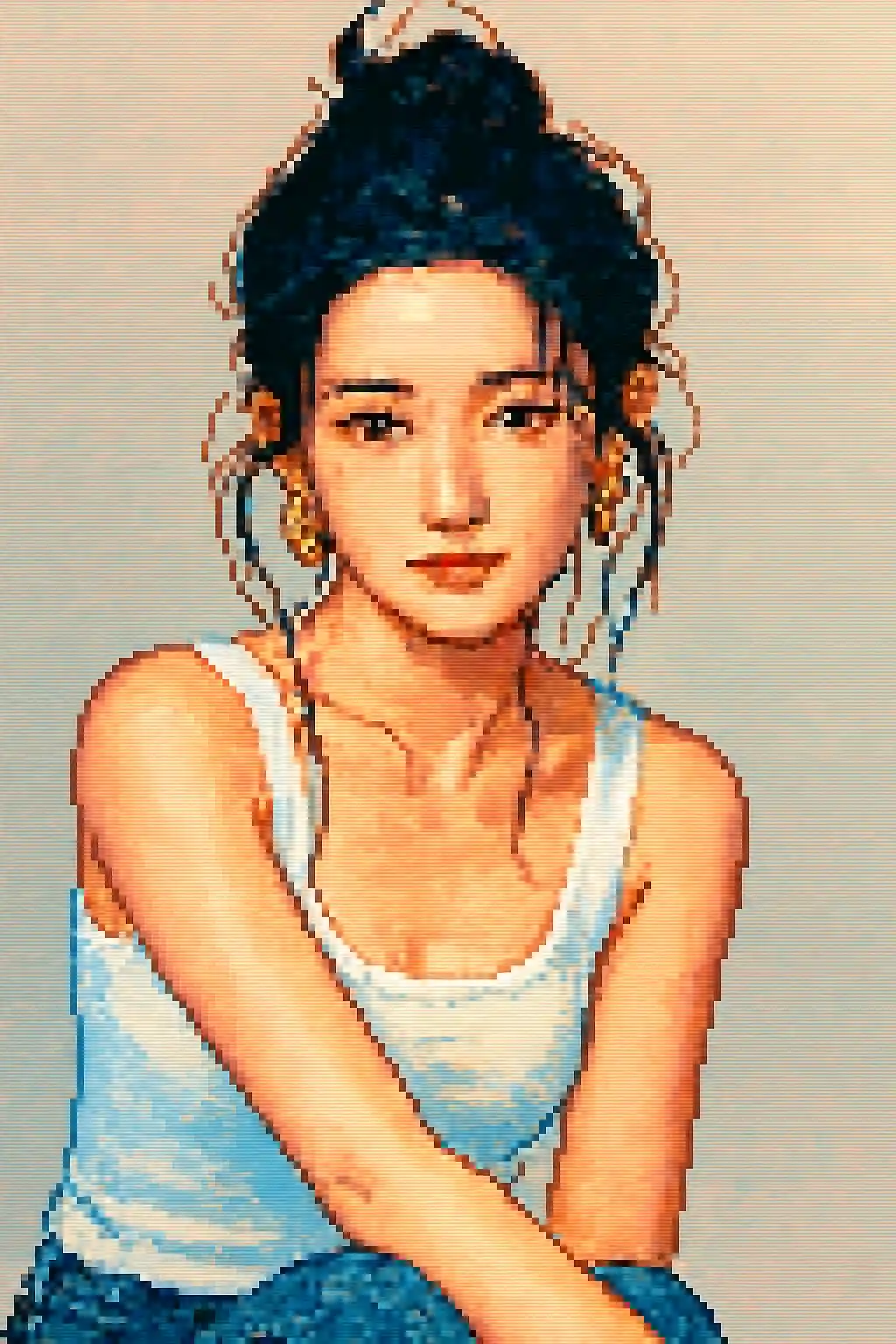
아바타에 적합한 크롭은 더 깔끔하고 향수 어린, 클래식 16비트 캐릭터 스프라이트에 가까워집니다.

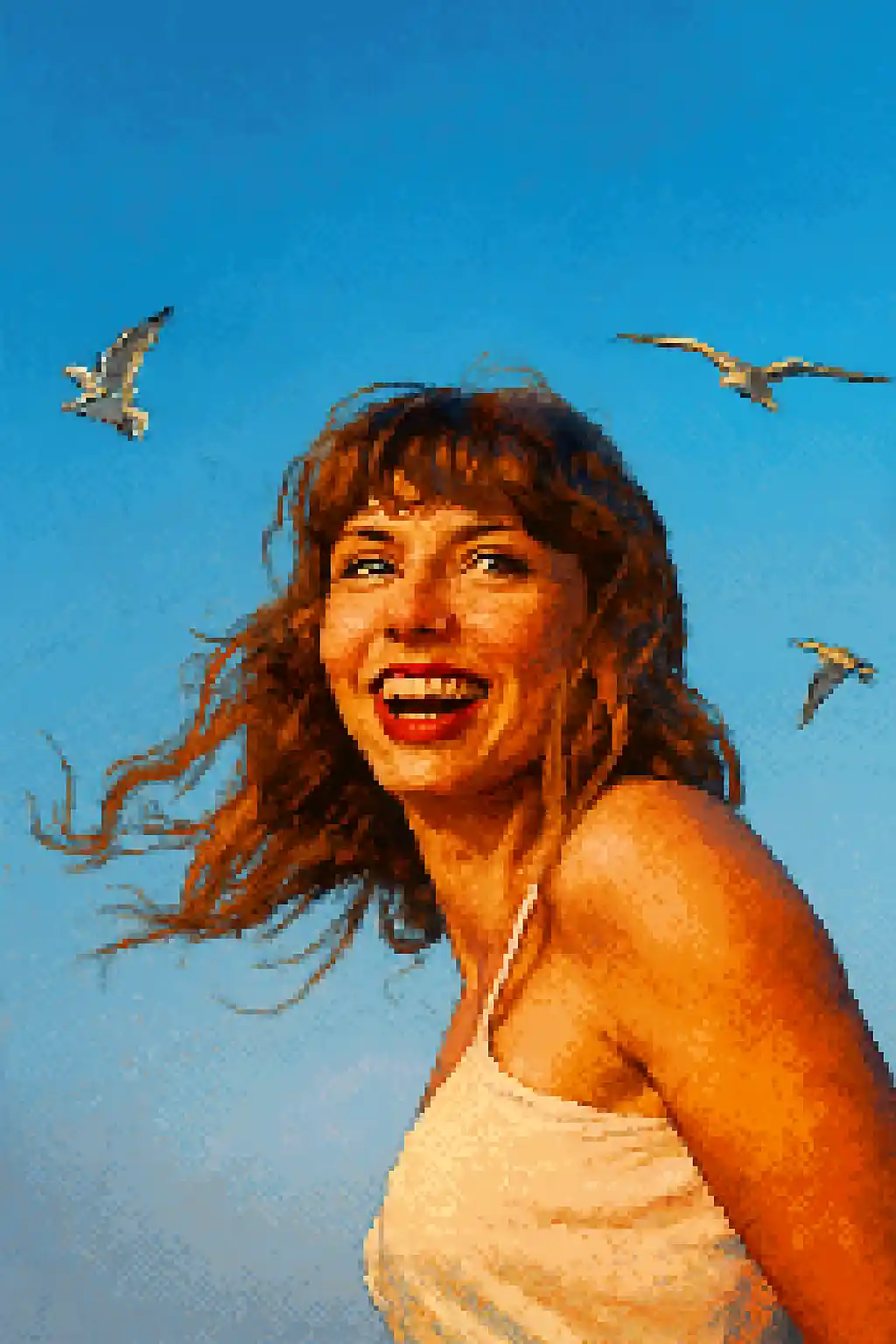
단순한 야외 장면도 혼잡한 저해상도 이미지가 아닌, 읽기 쉬운 레트로 컴포지션이 될 수 있습니다.
이 스타일 사용 방법
흐름을 간단하게 유지하세요. 첫 번째 결과는 종종 긴 프롬프트보다 더 많은 것을 가르쳐 줍니다.
회화 스타일보다 좁은 크롭을 사용하세요
픽셀 아트는 미세한 디테일을 금방 잃기 때문에, 넓은 전신보다는 근접 인물이나 상반신 샷이 더 잘 나옵니다.
작은 디테일보다 실루엣을 우선
뚜렷한 머리 모양, 안경, 모자, 큰 액세서리는 변환 후에도 살아남지만, 은은한 메이크업이나 작은 질감은 사라지기 쉽습니다.
사실감보다 가독성을 다듬으세요
첫 이미지가 탁해 보이면 사실감 대신 대비 강화, 단순한 배경, 아바타 같은 크롭을 요청하세요.
이 스타일에 적합한 사진
사진을 픽셀 아트로을(를) 선택해야 하는 이유
실루엣 우선 픽셀 가독성
모든 사소한 사진 디테일을 보존하려 하기보다, 주인공을 깔끔한 스프라이트 형태로 단순화할 때 이 스타일이 가장 강력합니다.
레트로 팔레트의 규율
색상이 더 밝고 단순한 픽셀 클러스터로 압축되어, 단순한 저해상도가 아니라 의도된 게임풍 결과가 됩니다.
아바타에 최적화된 압축
작은 디스플레이에서도 구조적 가독성이 유지되어, 프로필 아이콘과 SNS 아바타에 특히 잘 맞습니다.
액세서리와 소품 단순화
큰 소품, 또렷한 모자, 과감한 헤어스타일, 안경은 픽셀 변환에서도 살아남아 최종 캐릭터를 더 개성 있게 만듭니다.
사진을 픽셀 아트로에 대한 정보
픽셀 아트 사진 변환기는 AI로 사진을 놀라운 레트로 스타일 픽셀 아트웍으로 바꿉니다. 상징적인 16비트 SNES와 Sega Genesis 시대 게임의 비주얼 스타일에서 영감을 받아, 모든 변환은 향수 가득한 매력과 현대적인 디테일 및 선명함 사이의 균형을 이루는 생생하고 정성스러운 픽셀 포트레이트를 만들어냅니다.
픽셀 아트 스타일은 게이머, 스트리머, 레트로 감성을 사랑하는 이들에게 완벽합니다. 독특한 게임 아바타, Twitch나 Discord용 픽셀 아트 프로필 이미지를 만들거나, 그저 고전 RPG와 플랫포머의 아트 스타일로 재탄생한 자신을 즐겨보세요. AI는 인물과 풍경 장면 모두를 다루며, 각 주제에 맞게 픽셀 밀도와 컬러 팔레트를 조정합니다.
MakePhoto의 픽셀 아트 변환기는 단순히 이미지를 다운샘플링하지 않습니다. 생성 AI를 활용해 적절한 안티앨리어싱, 의도된 색상 선택, 픽셀 아트 애호가들이 높이 평가하는 수제 느낌까지 살려 사진을 진짜 픽셀 아트로 지능적으로 재구성합니다. 결과물은 깔끔하고 확장 가능하며 워터마크도 없습니다.


자주 묻는 질문
픽셀 아트는 인물 사진이 전신 사진보다 낫나요?
대개 그렇습니다. 상반신이나 근접 인물 크롭이 넓은 전신 장면보다 캐릭터의 개성을 훨씬 잘 보존합니다.
작은 액세서리도 표현되나요?
가독성이 좋은 것만 남습니다. 큰 안경, 모자, 뚜렷한 머리 실루엣은 작은 장식 디테일보다 훨씬 잘 살아남습니다.
여러 명이 있는 사진도 픽셀 아트에 잘 어울리나요?
보통은 그렇지 않습니다. 얼굴이 늘어날수록 이미지가 픽셀 클러스터로 축소될 때 각 인물의 가독성을 유지하기 어렵습니다.
픽셀 아트는 LEGO 스타일과 어떻게 다른가요?
픽셀 아트는 레트로 2D 가독성과 게임풍 스프라이트에 관한 것입니다. LEGO는 장난감 기반으로 더 밝고, 저해상도가 아닌 오브젝트 지향적입니다.
사진 변환할 준비가 되셨나요?
이 스타일 페이지에서 시작하여 빠르게 첫 번째 결과를 얻고, 필요 시에만 조정하세요.