
Photo to Cartoon
Turn portraits and social photos into clean cartoon-style character art with bold outlines, brighter color, and stronger expression.
Turn any photo into cartoon style with AI. Bold outlines, vibrant colors, and expressive character features.
Upload
Upload one clear photo to start generating.
Ratio
Choose the output ratio that fits your result.
Generate
Click generate and wait for the first result.

Mood
Softer, toy-like, and more handcrafted.
Best For
Creator and profile avatars
Result
Get a first result fast, then refine for texture or character.
Start here
Start creating
Upload photo
Ratio
Preview
Generate to see your result here
Trust details
- Failed generations do not consume credits. If a job finishes later, you can confirm it in My Works.
- Paid plans include commercial use rights for generated images.
See the Style Shift
Use these examples to judge the style direction before you generate the first result.
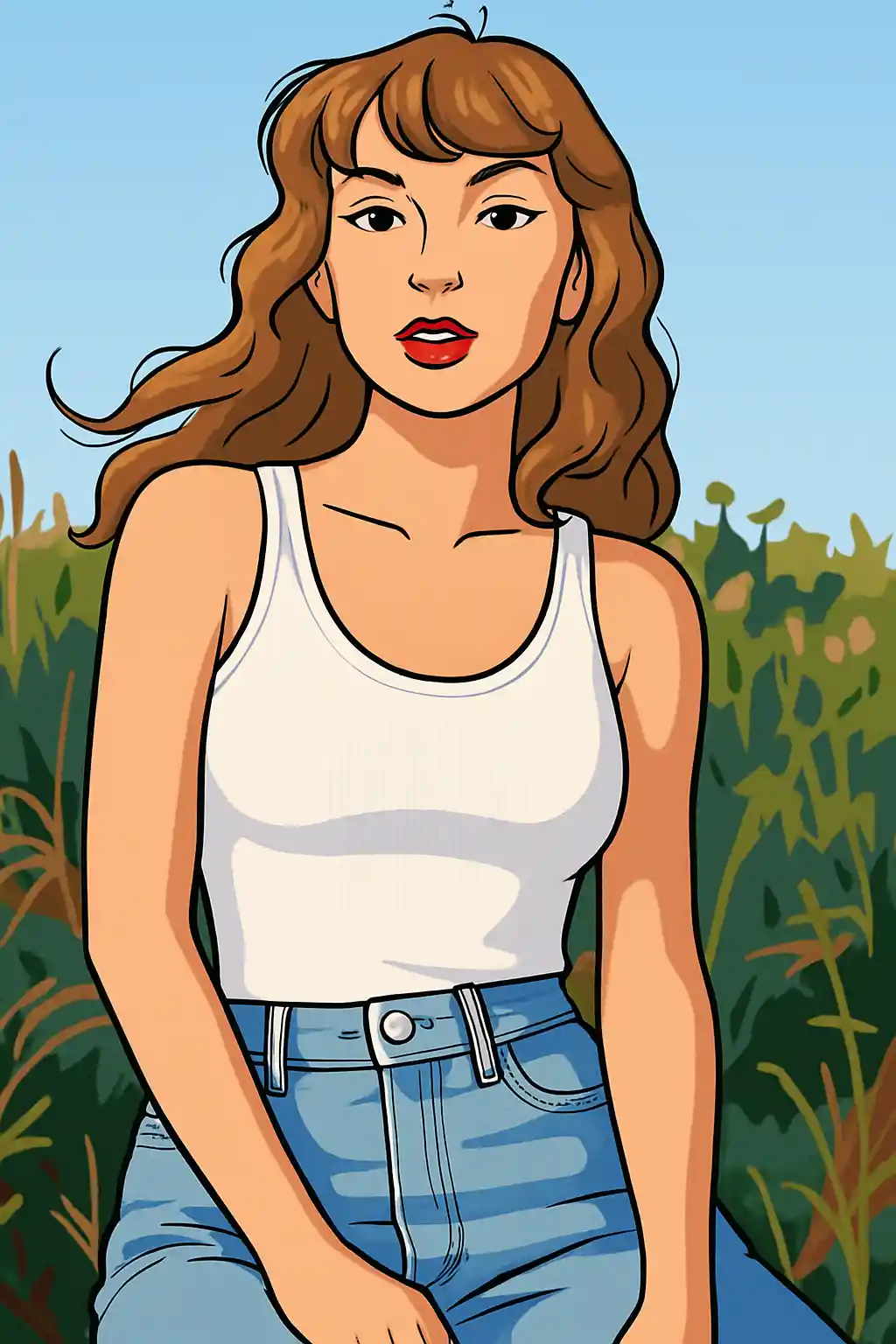

Portraits become cleaner and more graphic, with stronger lines and easier-to-read expression.
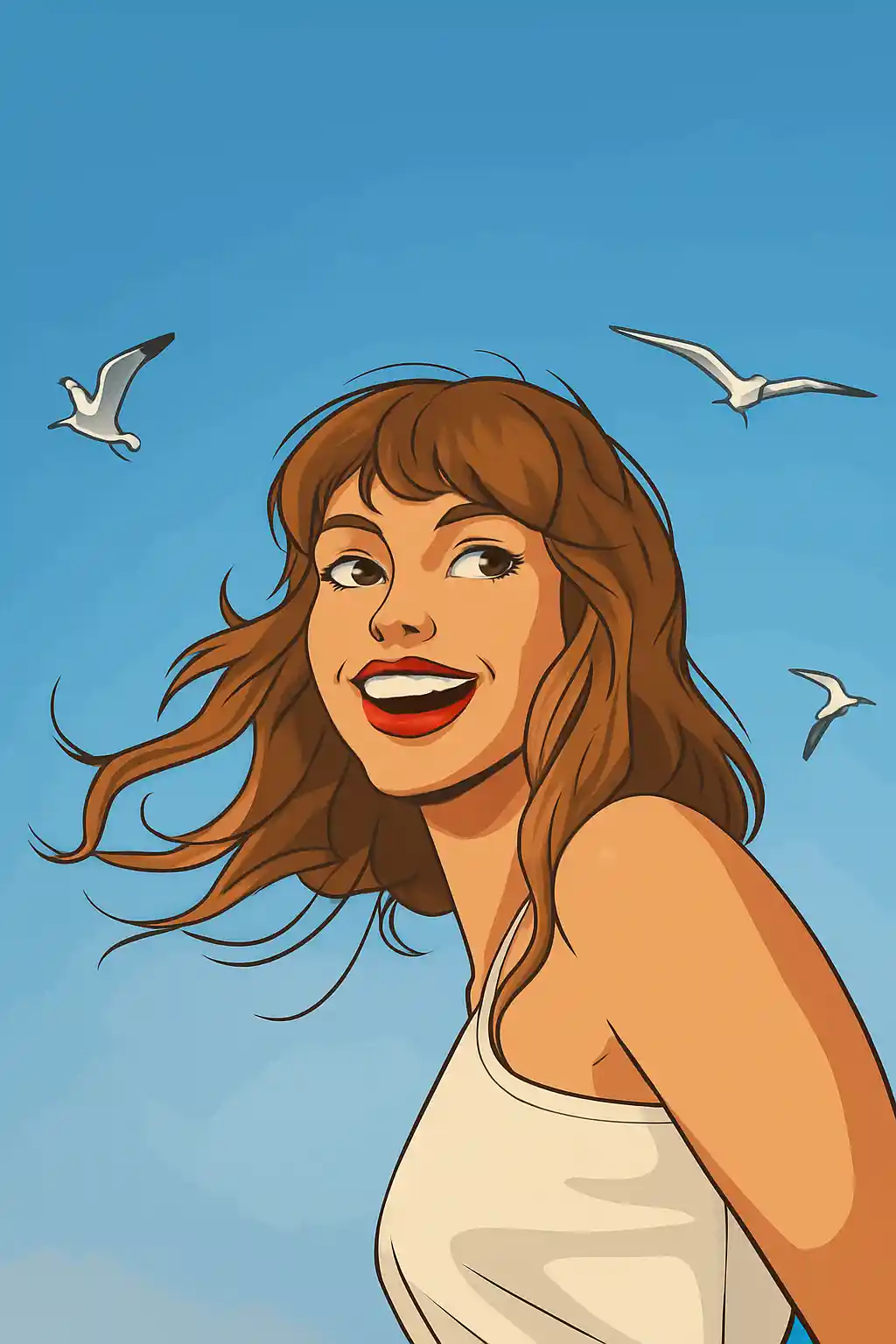

Simple photos translate well into a modern cartoon look that feels broader and less cinematic than Disney.
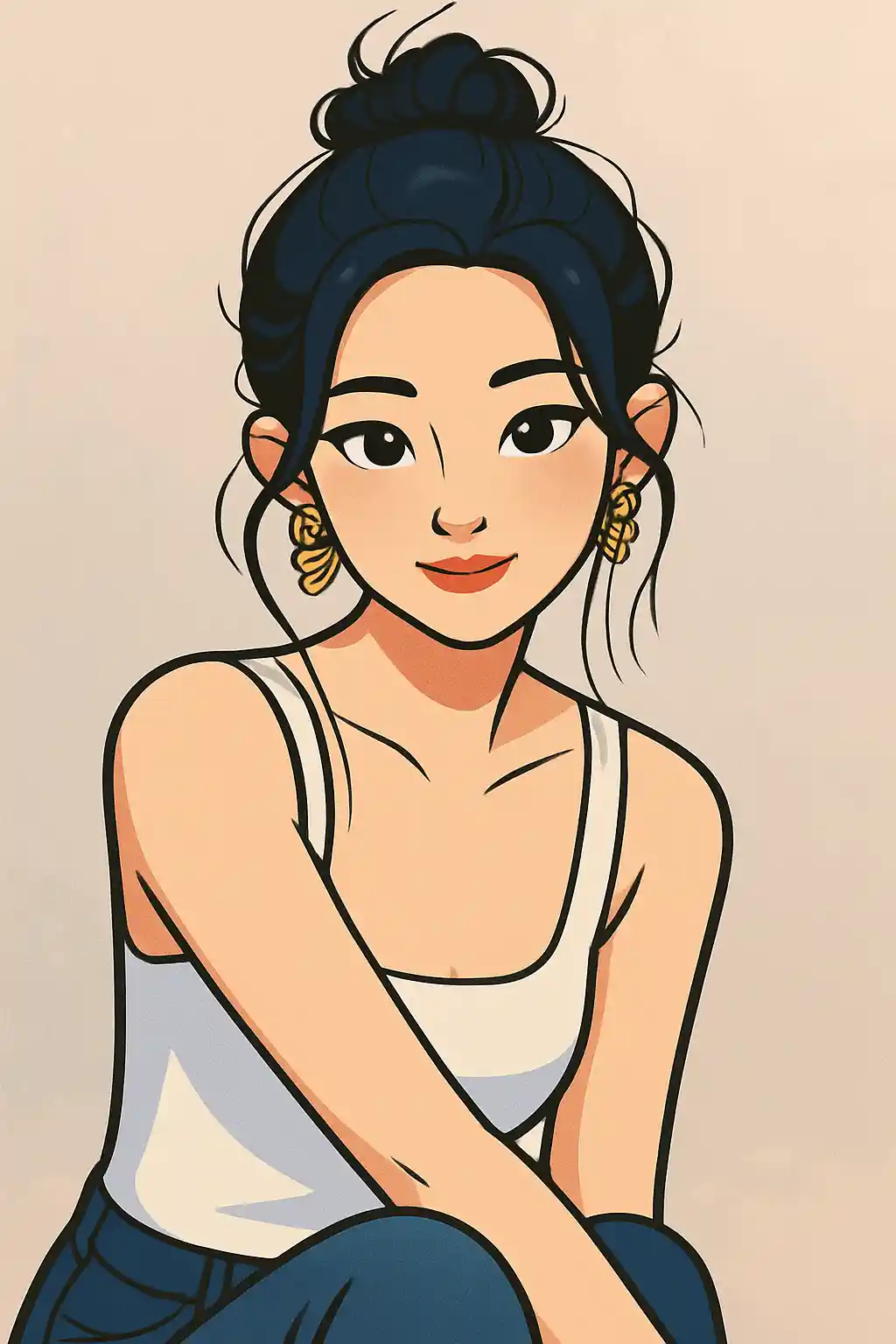

Creator-style profile shots become brighter and more polished without leaning too hard into toy or anime aesthetics.
How to Use This Style
Keep the flow simple. The first result usually teaches you more than a long stacked prompt.
Use a face-first portrait or upper-body crop
Cartoon style is strongest when the face, pose, and hairstyle are easy to simplify into cleaner graphic shapes.
Decide whether you want clean or playful
This style can lean toward polished profile art or more playful social content, so refine for outline strength, eye clarity, or brighter color instead of changing the whole scene.
Use the second pass for graphic clarity
If the first output feels too soft, ask for stronger outlines, simpler background, or cleaner facial separation rather than more realism.
Best Photos for This Style
Why Choose Photo to Cartoon
Modern Graphic Linework
Cartoon style here is more about readable outlines and broad visual clarity than cinematic softness or toy-like rendering.
Expression Cleanup
Faces become cleaner and more intentional, which makes this page especially useful for social avatars and creator-facing imagery.
Background Simplification
Busy scenes are usually reduced into simpler shapes and flatter color blocks, helping the subject stay visually prominent.
Flexible Between Cute and Clean
Compared with narrower styles, cartoon gives you more room to sit between fun social content and polished, approachable branding.
About Photo to Cartoon
The cartoon photo converter uses AI to transform your photos into sleek, modern cartoon-style artwork. With bold outlines, vibrant flat colors, and expressive character features, the output captures the polished aesthetic of contemporary animation studios — think modern TV animation meets digital illustration.
Cartoon style is the most versatile photo transformation option. It works brilliantly for social media avatars, professional branding, fun group photos, and creative content creation. The clean, approachable look appeals to all demographics, making cartoon portraits equally popular among teens sharing on Instagram and professionals refreshing their LinkedIn presence.
MakePhoto's cartoon filter doesn't just trace edges over your photo. The generative AI reinterprets your image as original cartoon character art with proper anatomy, stylized proportions, and intentional design choices. Every element — from hair strands to clothing folds — is redrawn with the deliberate line work and color blocking that professional animators use. The result is indistinguishable from hand-drawn cartoon illustration.
Explore Related Styles

Photo to Disney
Turn any photo into a Disney-style character portrait with AI. Clean lines, expressive eyes, and polished animation aesthetics.

Photo to Stickers
Convert any photo into cute sticker style with AI. Bold outlines, playful shapes, and social-ready character energy.

Photo to Q-Avatar
Convert any photo into a cute Q-avatar with AI. Clean lines, bright eyes, and a social-ready profile look.
FAQ
How is cartoon different from Disney style?
Cartoon is broader, more graphic, and less cinematic. Disney style is smoother, more character-poster oriented, and more tied to family-animation polish.
What crop works best for cartoon style?
Portraits and upper-body shots usually work best because the face and pose stay readable once the image is simplified.
Do group photos work well here?
One or two people is the sweet spot. Larger groups can work, but the style is more reliable when each face is still clearly visible.
Do I need a detailed prompt for cartoon style?
Usually no. The preset already defines the main look. Extra prompt text works best for cleaner background, stronger outlines, or brighter color mood.
Ready to Transform Your Photo?
Start from this style page, get the first result fast, then refine only if you need to.