
Foto ke Kartun
Ubah potret dan foto sosial menjadi seni karakter bergaya kartun bersih dengan garis berani, warna lebih cerah, dan ekspresi lebih kuat.
Ubah foto apa pun menjadi gaya kartun dengan AI. Garis berani, warna hidup, dan fitur karakter ekspresif.
Unggah
Unggah satu foto yang jelas untuk mulai menghasilkan.
Rasio
Pilih rasio output yang sesuai dengan hasil Anda.
Hasilkan
Klik hasilkan dan tunggu hasil pertama.

Suasana Hati
Lebih lembut, seperti mainan, dan lebih buatan tangan.
Terbaik untuk
Avatar kreator dan profil
Hasil
Dapatkan hasil pertama dengan cepat, lalu perbaiki untuk tekstur atau karakter.
Mulai dari sini
Mulai berkarya
Unggah foto
Rasio
Prabaca
Hasilkan untuk melihat hasil Anda di sini
Rincian kepercayaan
- Generasi yang gagal tidak mengkonsumsi kredit. Jika pekerjaan selesai kemudian, Anda dapat mengonfirmasinya di Karya Saya.
- Rencana berbayar mencakup hak penggunaan komersial untuk gambar yang dihasilkan.
Lihat Perubahan Gaya
Gunakan contoh ini untuk menilai arah gaya sebelum Anda menghasilkan hasil pertama.
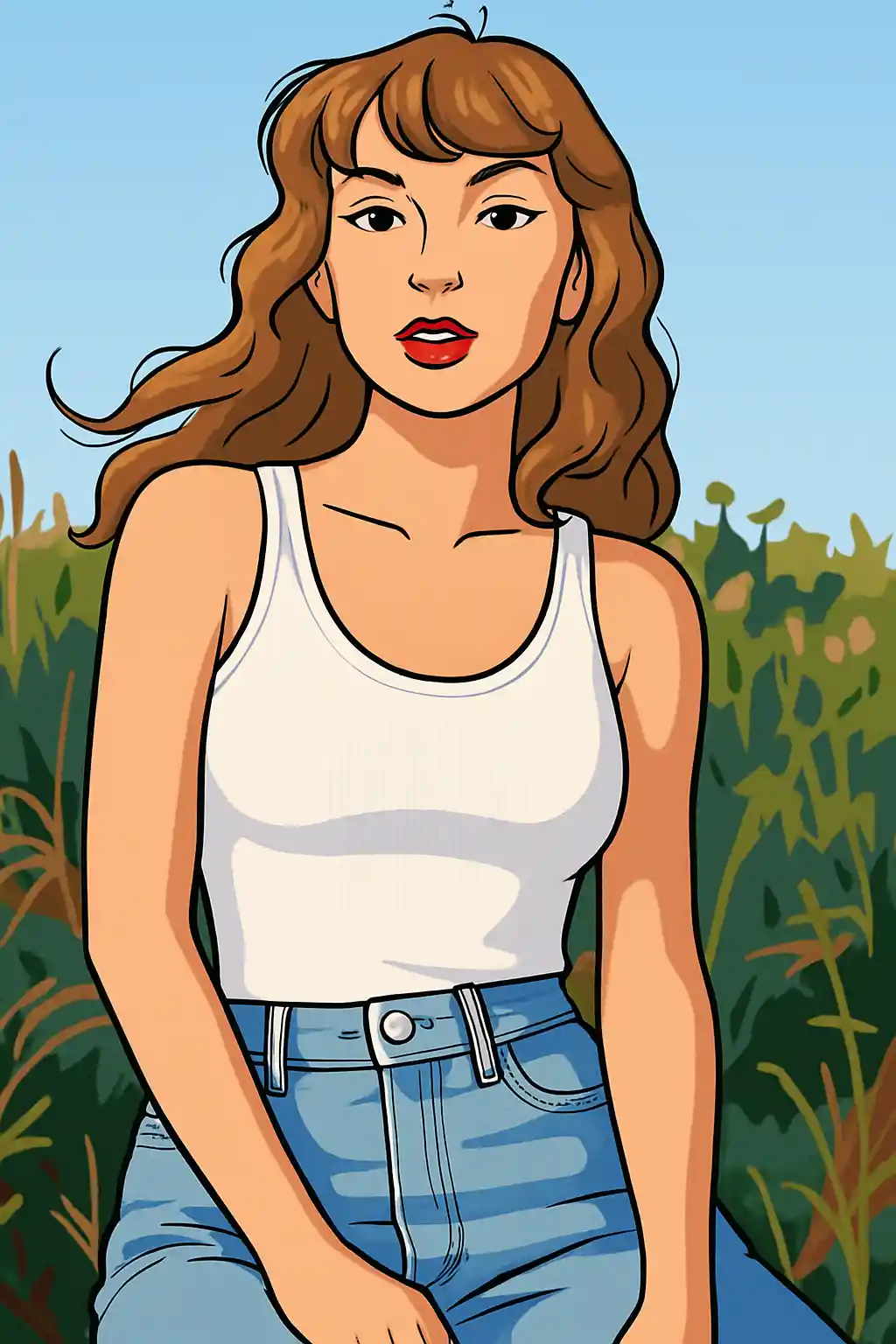

Potret menjadi lebih bersih dan grafis, dengan garis lebih kuat dan ekspresi lebih mudah dibaca.
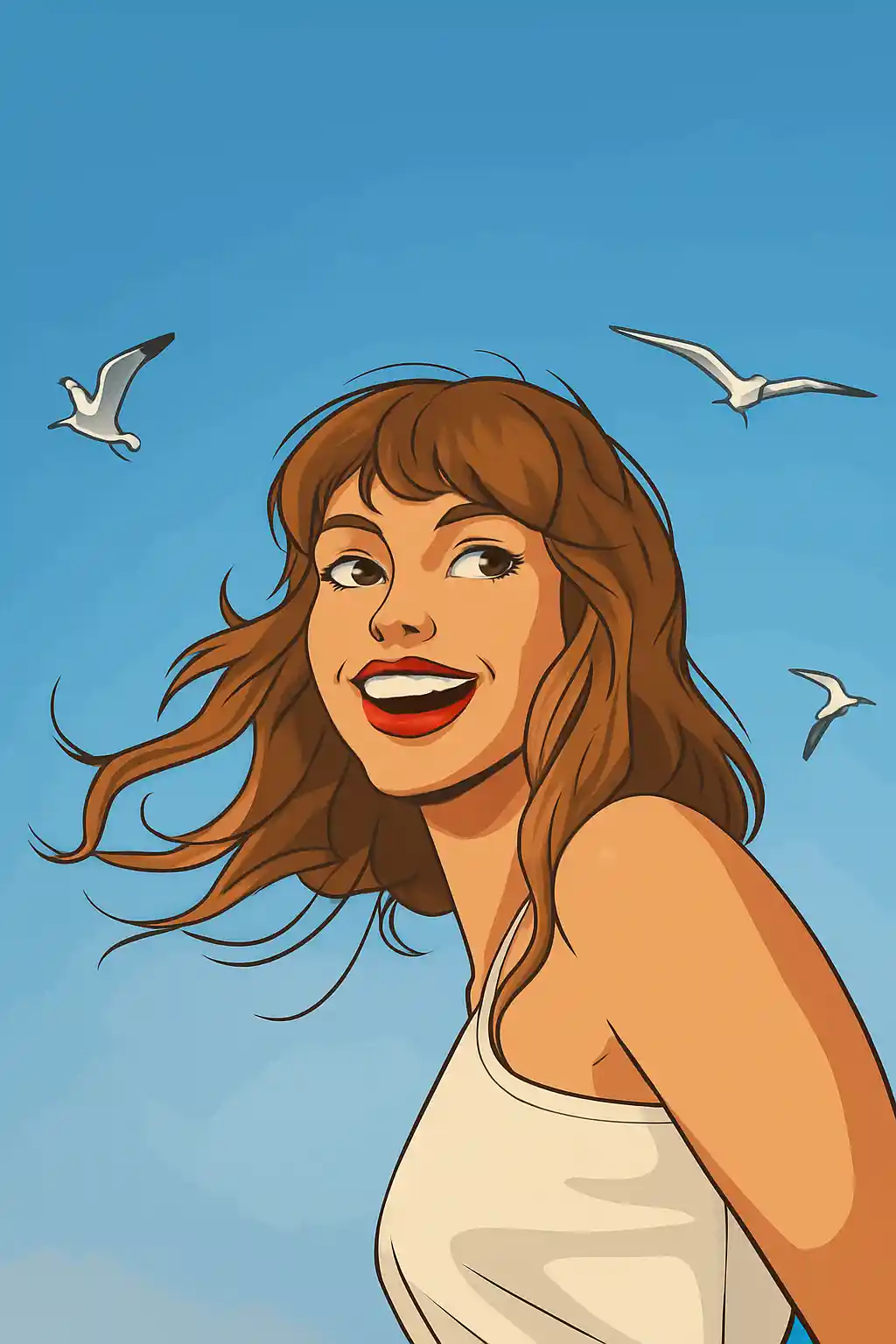

Foto sederhana diterjemahkan baik menjadi tampilan kartun modern yang terasa lebih luas dan kurang sinematik daripada Disney.
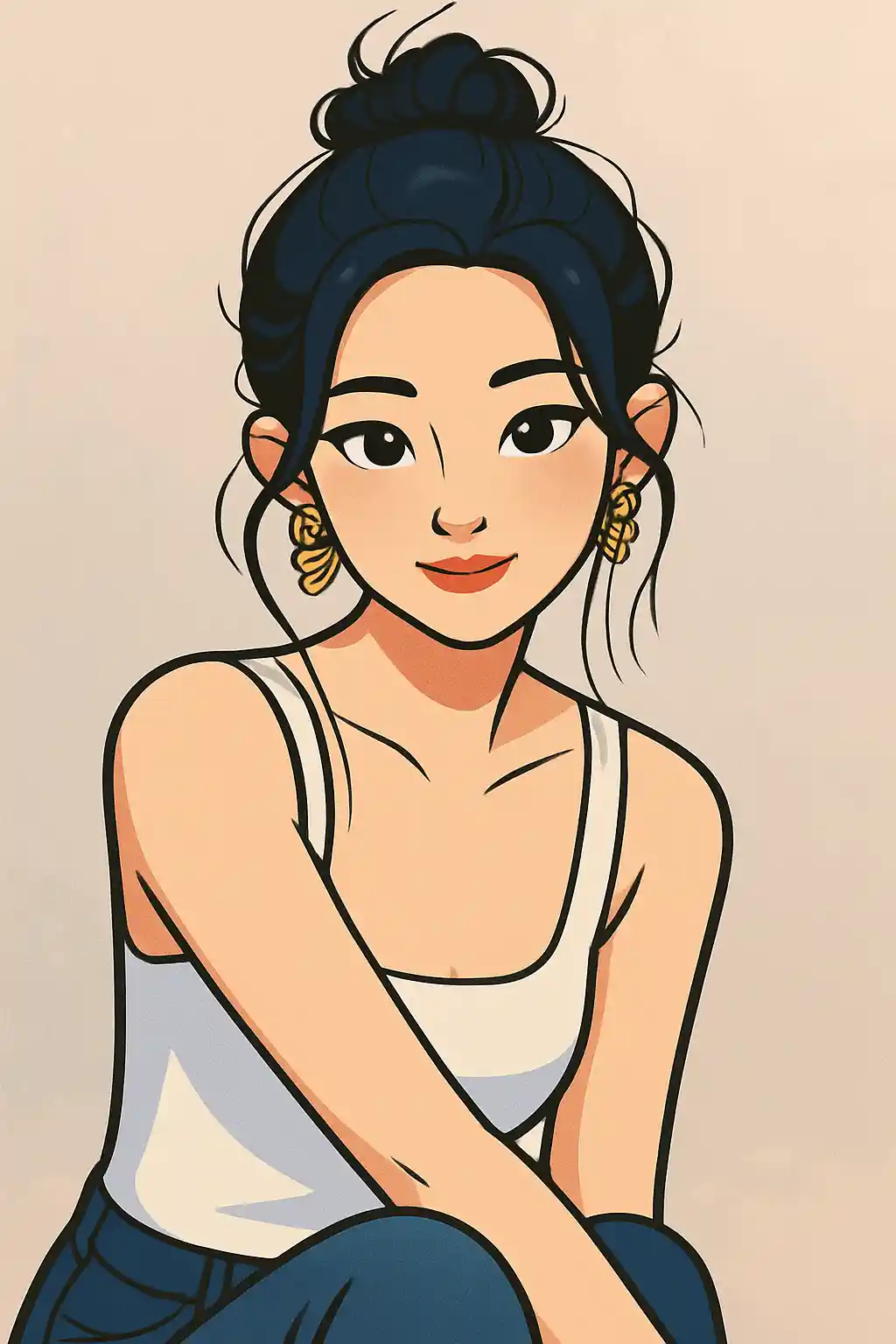

Foto profil gaya kreator menjadi lebih cerah dan halus tanpa condong terlalu jauh ke estetika mainan atau anime.
Cara Menggunakan Gaya Ini
Pertahankan alur tetap sederhana. Hasil pertama biasanya mengajarkan Anda lebih banyak daripada prompt yang panjang.
Gunakan potret berfokus wajah atau crop tubuh atas
Gaya kartun paling kuat ketika wajah, pose, dan gaya rambut mudah disederhanakan menjadi bentuk grafis yang lebih bersih.
Putuskan apakah ingin bersih atau ceria
Gaya ini bisa condong ke art profil halus atau konten sosial yang lebih ceria, jadi sempurnakan untuk kekuatan outline, kejelasan mata, atau warna lebih cerah daripada mengubah seluruh adegan.
Gunakan putaran kedua untuk kejernihan grafis
Jika output pertama terasa terlalu lembut, minta outline lebih kuat, latar sederhana, atau pemisahan wajah lebih bersih daripada lebih realistis.
Foto Terbaik untuk Gaya Ini
Mengapa Memilih Foto ke Kartun
Linework Grafis Modern
Gaya kartun di sini lebih tentang outline terbaca dan kejernihan visual luas daripada kelembutan sinematik atau rendering mirip mainan.
Pembersihan Ekspresi
Wajah menjadi lebih bersih dan lebih disengaja, yang membuat halaman ini sangat berguna untuk avatar sosial dan citra kreator.
Penyederhanaan Latar
Adegan ramai biasanya direduksi menjadi bentuk lebih sederhana dan blok warna lebih datar, membantu subjek tetap menonjol secara visual.
Fleksibel antara Imut dan Bersih
Dibanding gaya yang lebih sempit, kartun memberi lebih banyak ruang untuk berada di antara konten sosial menyenangkan dan branding yang halus dan ramah.
Tentang Foto ke Kartun
Konverter foto kartun menggunakan AI untuk mengubah foto Anda menjadi karya seni gaya kartun modern yang ramping. Dengan outline berani, warna datar hidup, dan fitur karakter ekspresif, output menangkap estetika halus studio animasi kontemporer — bayangkan animasi TV modern bertemu ilustrasi digital.
Gaya kartun adalah opsi transformasi foto paling serbaguna. Bekerja cemerlang untuk avatar media sosial, branding profesional, foto grup menyenangkan, dan pembuatan konten kreatif. Tampilan bersih dan ramah menarik semua demografi, membuat potret kartun sama populer di kalangan remaja yang berbagi di Instagram dan profesional yang memperbarui kehadiran LinkedIn mereka.
Filter kartun MakePhoto tidak hanya melacak tepi foto Anda. AI generatif menafsirkan ulang gambar Anda sebagai seni karakter kartun asli dengan anatomi tepat, proporsi bergaya, dan pilihan desain yang disengaja. Setiap elemen — dari helaian rambut hingga lipatan pakaian — digambar ulang dengan linework dan blocking warna yang digunakan animator profesional. Hasilnya tak bisa dibedakan dari ilustrasi kartun gambar tangan.
Jelajahi Gaya Terkait

Foto ke Disney
Ubah foto apa pun menjadi potret karakter gaya Disney dengan AI. Garis bersih, mata ekspresif, dan estetika animasi yang halus.

Foto ke Stiker
Ubah foto apa pun menjadi gaya stiker imut dengan AI. Outline berani, bentuk ceria, dan energi karakter siap sosial.

Foto ke Q-Avatar
Ubah foto apa pun menjadi Q-avatar imut dengan AI. Garis bersih, mata cerah, dan tampilan profil siap sosial.
FAQ
Apa bedanya kartun dengan gaya Disney?
Kartun lebih luas, lebih grafis, dan kurang sinematik. Gaya Disney lebih halus, lebih berorientasi poster karakter, dan lebih terkait dengan kilap animasi keluarga.
Crop apa yang paling cocok untuk gaya kartun?
Potret dan tubuh atas biasanya paling cocok karena wajah dan pose tetap terbaca saat gambar disederhanakan.
Apakah foto grup cocok di sini?
Satu atau dua orang adalah titik ideal. Grup lebih besar bisa bekerja, tapi gaya lebih konsisten saat setiap wajah masih jelas terlihat.
Apakah saya butuh prompt detail untuk gaya kartun?
Biasanya tidak. Preset sudah mendefinisikan tampilan utama. Teks prompt ekstra paling baik untuk latar lebih bersih, outline lebih kuat, atau mood warna lebih cerah.
Siap untuk Mengubah Foto Anda?
Mulai dari halaman gaya ini, dapatkan hasil pertama dengan cepat, lalu perbaiki hanya jika Anda perlu.