
Photo to Clay
Convert selfies and character photos into adorable clay-style figures with soft studio light and handmade stop-motion charm.
Convert photos into adorable 3D clay animation style with AI. Cute, tactile, and full of personality.
Upload
Upload one clear photo to start generating.
Ratio
Choose the output ratio that fits your result.
Generate
Click generate and wait for the first result.

Mood
Softer, toy-like, and more handcrafted.
Best For
Portraits & selfies
Result
Get a first result fast, then refine for texture or character.
Start here
Start creating
Upload photo
Ratio
Preview
Generate to see your result here
Trust details
- Failed generations do not consume credits. If a job finishes later, you can confirm it in My Works.
- Paid plans include commercial use rights for generated images.
See the Style Shift
Use these examples to judge the style direction before you generate the first result.
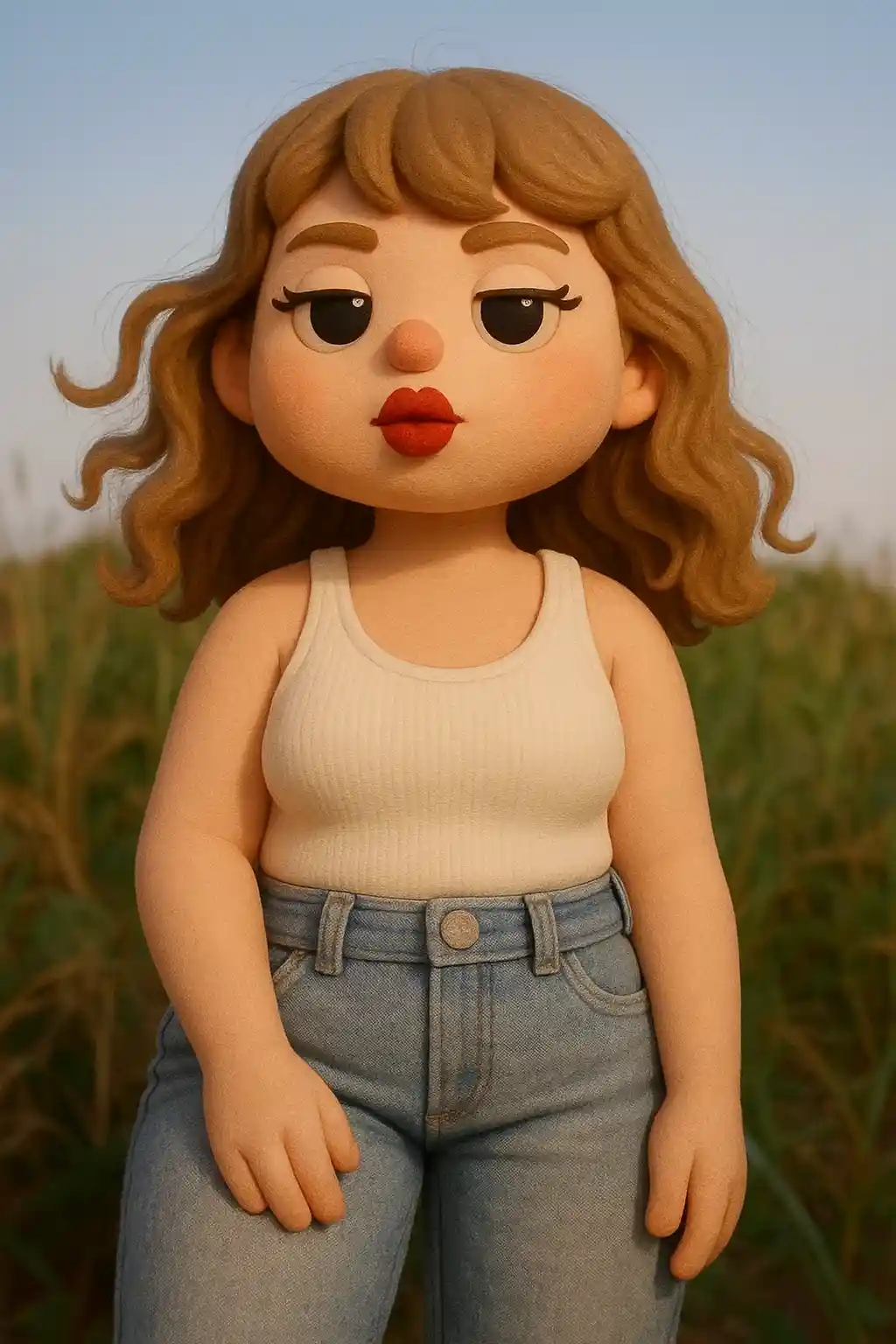

Portraits become rounded clay figures with a polished stop-motion feel.
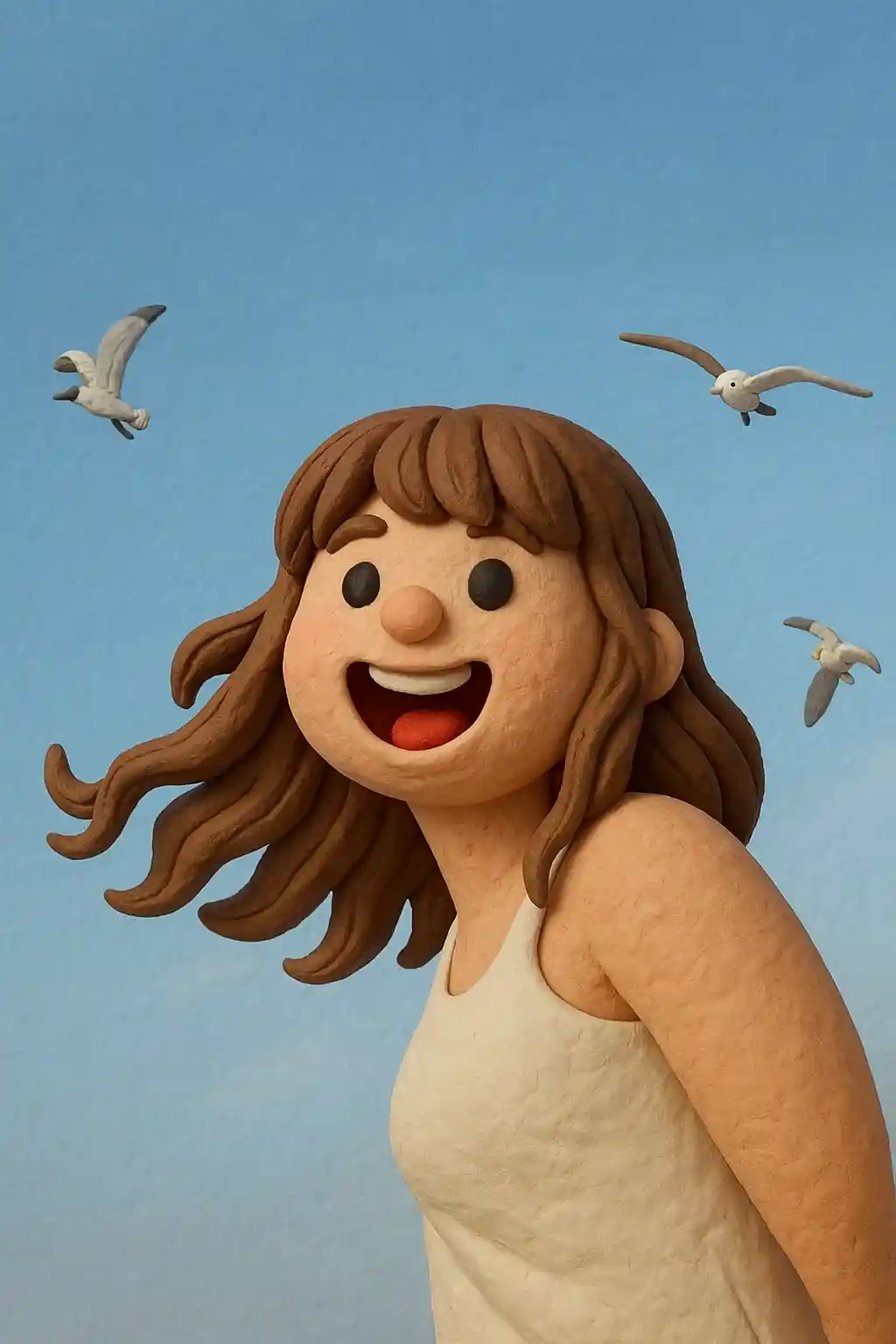

Friendly close-up photos translate well into softer, more tactile toy-style results.
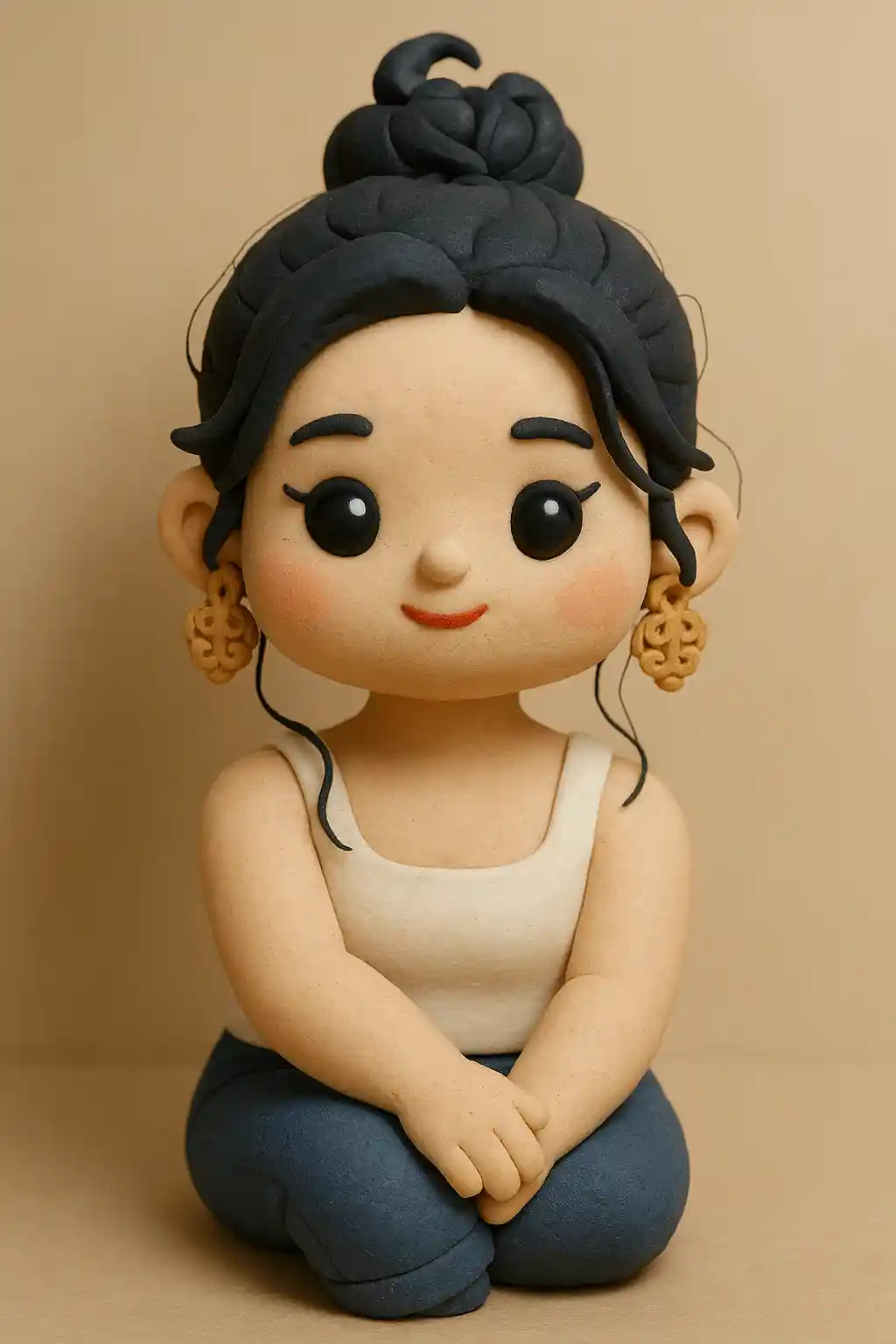

Outdoor photos can still hold shape while becoming more handmade and chibi-like.
How to Use This Style
Keep the flow simple. The first result usually teaches you more than a long stacked prompt.
Choose a simple character photo
Front-facing selfies and portraits work best for clay-style conversion.
Keep the mood cute and focused
Short instructions like cleaner background or softer light work better than long prompts.
Refine for toy feel
If the first result feels too realistic, ask for rounder proportions or stronger clay material.
Best Photos for This Style
Why Choose Photo to Clay
Adorable 3D Clay Sculpting
AI transforms your photo into a charming 3D clay figurine with smooth, rounded surfaces and the tactile warmth of handmade stop-motion characters.
Faithful Feature Mapping
Your hairstyle, glasses, clothing, and facial expressions are carefully translated into clay-sculpted equivalents while keeping you recognizable.
Studio Lighting & Depth
Professional soft-box lighting and shallow depth of field give every clay portrait a polished, toy-photography aesthetic.
Kawaii Appeal Factor
Slightly exaggerated proportions — larger heads, rounder cheeks — add irresistible cute charm that performs exceptionally on social media.
About Photo to Clay
The clay style photo converter uses AI to transform your photos into delightful 3D clay animation figurines. Inspired by the tactile charm of stop-motion classics like Wallace & Gromit and Shaun the Sheep, every conversion produces a sculpted character with smooth rounded surfaces, soft studio lighting, and the handmade warmth that makes clay art universally lovable.
Clay-style portraits have become a viral social media trend thanks to their irresistible cuteness. The slightly chibi proportions — oversized heads, rounded features, and miniature bodies — create an instant kawaii effect that's perfect for profile pictures, chat stickers, and shareable content. The AI preserves your distinguishing features (hairstyle, glasses, outfits) while translating them into the clay medium.
MakePhoto's clay filter generates genuine 3D-rendered clay art, not a flat filter effect. The AI understands material properties — smooth matte surfaces, subtle fingerprint-like textures, and soft ambient occlusion shadows — producing results that look like professionally photographed handmade figurines. It's the easiest way to get a custom clay character of yourself.
Explore Related Styles

Photo to Disney
Turn any photo into a Disney-style character portrait with AI. Clean lines, expressive eyes, and polished animation aesthetics.

Photo to LEGO
Convert any photo into LEGO brick style with AI. Fun, colorful, and instantly shareable LEGO-fied portraits.

Photo to Cartoon
Turn any photo into cartoon style with AI. Bold outlines, vibrant colors, and expressive character features.
FAQ
What does clay style look like?
Your photo gets transformed into a cute 3D clay figure — like a stop-motion animation character with smooth, rounded features.
Does it preserve my appearance?
Yes! The AI keeps your facial features, hairstyle, and clothing while applying the clay aesthetic.
Is it similar to cartoon style?
Clay style has a distinct 3D tactile quality with rounded shapes, unlike flat cartoon styles. It looks like a handmade clay figurine.
Ready to Transform Your Photo?
Start from this style page, get the first result fast, then refine only if you need to.