
Foto zu Ton
Verwandle Selfies und Charakterfotos in entzückende Tonfiguren mit sanftem Studiolicht und handgemachtem Stop-Motion-Charme.
Verwandle Fotos mit KI in entzückenden 3D-Ton-Animationsstil. Niedlich, taktil und voller Persönlichkeit.
Hochladen
Laden Sie ein klares Foto hoch, um zu beginnen.
Verhältnis
Wählen Sie das Ausgabeverhältnis, das zu Ihrem Ergebnis passt.
Generieren
Klicken Sie auf Generieren und warten Sie auf das erste Ergebnis.

Stimmung
Weicher, spielzeugähnlicher und handgefertigter.
Am besten geeignet für
Portraits & Selfies
Ergebnis
Erhalten Sie schnell ein erstes Ergebnis und verfeinern Sie es dann für Textur oder Charakter.
Hier starten
Kreativ werden
Foto hochladen
Verhältnis
Vorschau
Generieren Sie, um Ihr Ergebnis hier zu sehen
Vertrauensdetails
- Fehlgeschlagene Generierungen verbrauchen keine Credits. Wenn ein Job später abgeschlossen wird, können Sie dies in meinen Arbeiten bestätigen.
- Bezahlte Pläne beinhalten kommerzielle Nutzungsrechte für generierte Bilder.
Sehen Sie den Stilwechsel
Nutzen Sie diese Beispiele, um die Stilrichtung zu beurteilen, bevor Sie das erste Ergebnis generieren.
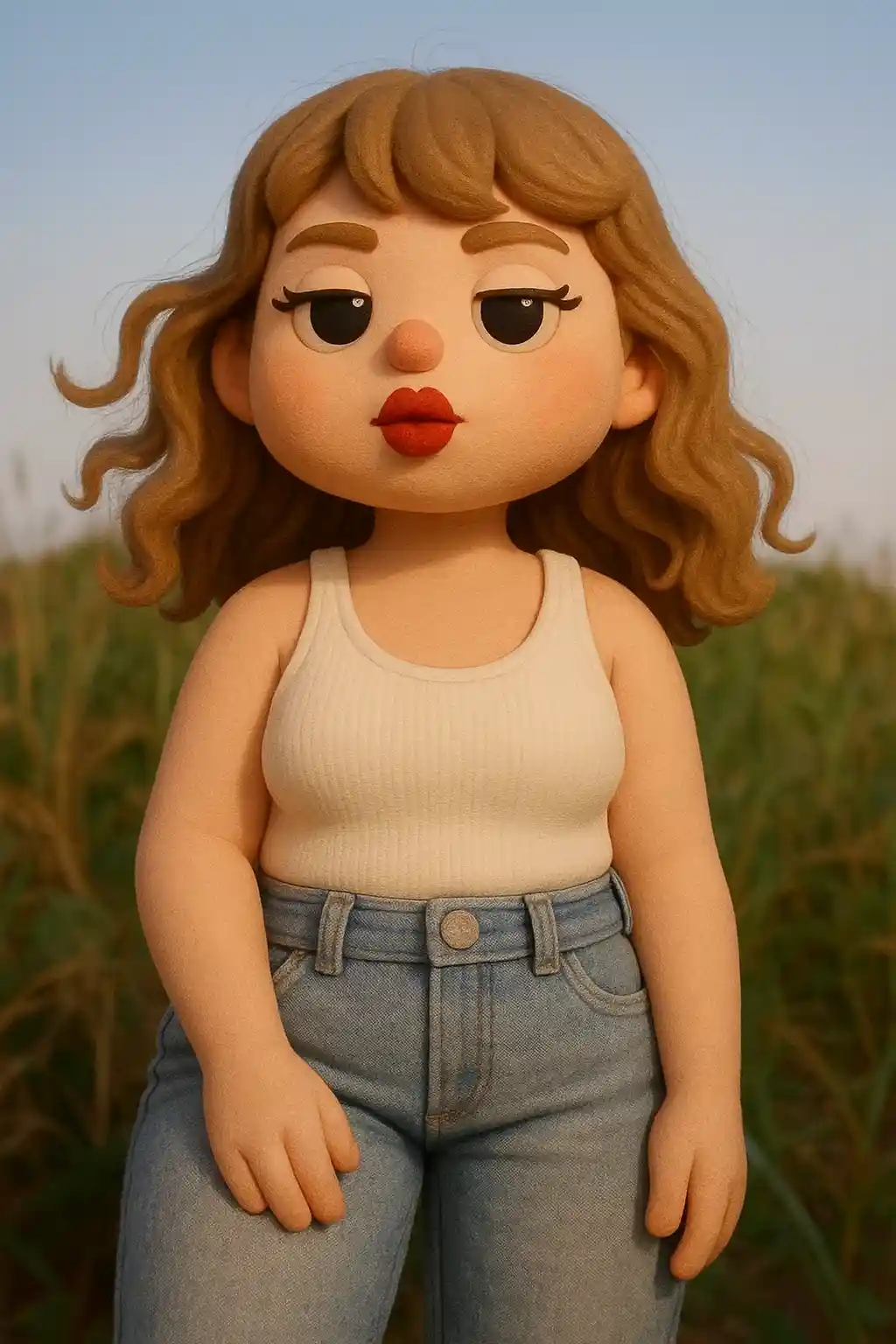

Portraits werden zu runden Tonfiguren mit einem polierten Stop-Motion-Gefühl.
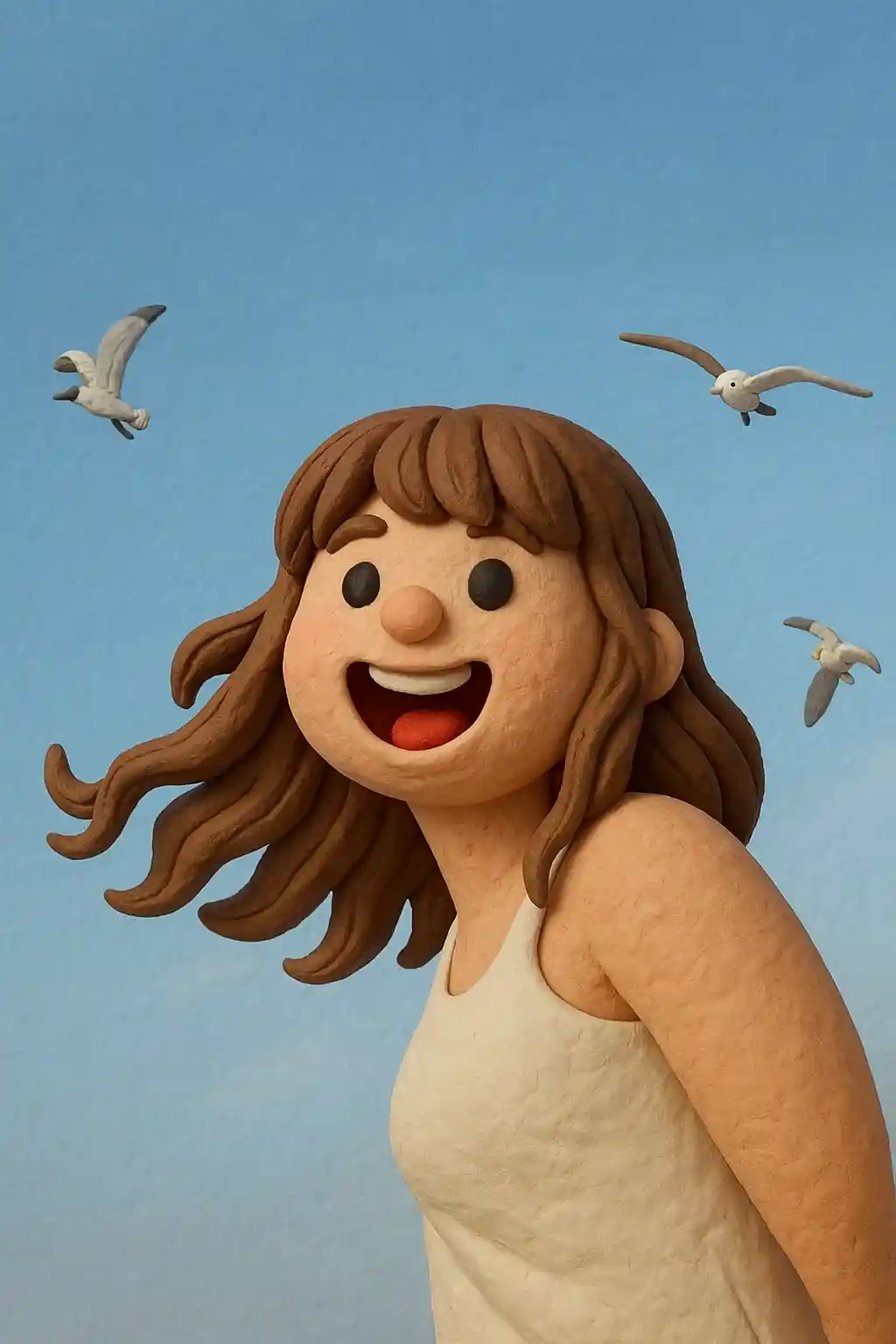

Freundliche Nahaufnahmen übertragen sich gut in weichere, taktilere Ergebnisse im Spielzeugstil.
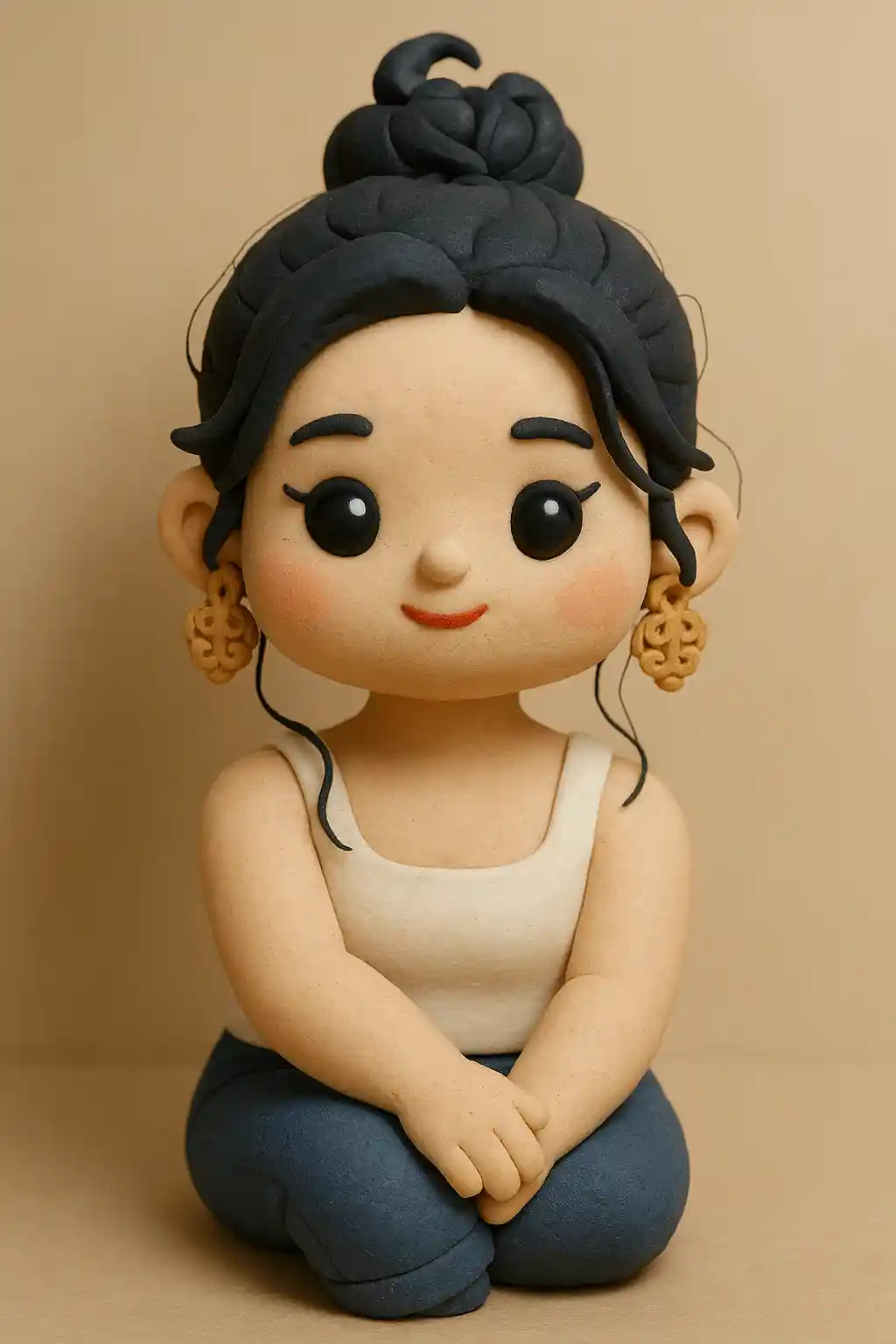

Außenfotos können ihre Form bewahren, während sie handgemachter und chibi-artiger wirken.
So verwenden Sie diesen Stil
Halten Sie den Ablauf einfach. Das erste Ergebnis lehrt Sie in der Regel mehr als ein langes gestapeltes Prompt.
Wähle ein einfaches Charakterfoto
Frontale Selfies und Portraits eignen sich am besten für die Umwandlung im Ton-Stil.
Halte die Stimmung niedlich und fokussiert
Kurze Anweisungen wie sauberer Hintergrund oder weicheres Licht funktionieren besser als lange Prompts.
Verfeinere für Spielzeuggefühl
Wenn das erste Ergebnis zu realistisch wirkt, bitte um rundere Proportionen oder stärkeres Tonmaterial.
Beste Fotos für diesen Stil
Warum Foto zu Ton wählen?
Entzückende 3D-Tonmodellierung
Die KI verwandelt dein Foto in eine charmante 3D-Tonfigur mit glatten, runden Oberflächen und der taktilen Wärme handgemachter Stop-Motion-Charaktere.
Getreue Merkmalsübertragung
Deine Frisur, Brille, Kleidung und dein Gesichtsausdruck werden sorgfältig in tongeformte Entsprechungen übertragen, während du wiedererkennbar bleibst.
Studiobeleuchtung & Tiefe
Professionelle Softbox-Beleuchtung und geringe Schärfentiefe verleihen jedem Tonportrait eine polierte Spielzeug-Foto-Ästhetik.
Kawaii-Charmefaktor
Leicht übertriebene Proportionen – größere Köpfe, rundere Wangen – verleihen unwiderstehlichen niedlichen Charme, der in sozialen Medien besonders gut ankommt.
Über Foto zu Ton
Der Ton-Stil-Fotokonverter nutzt KI, um deine Fotos in bezaubernde 3D-Ton-Animationsfiguren zu verwandeln. Inspiriert vom taktilen Charme von Stop-Motion-Klassikern wie Wallace & Gromit und Shaun the Sheep entsteht bei jeder Umwandlung ein geformter Charakter mit glatten runden Oberflächen, weichem Studiolicht und der handgemachten Wärme, die Tonkunst universell liebenswert macht.
Ton-Portraits sind dank ihrer unwiderstehlichen Niedlichkeit zum viralen Social-Media-Trend geworden. Die leicht chibi-artigen Proportionen – überdimensionierte Köpfe, runde Züge und Miniaturkörper – erzeugen einen sofortigen Kawaii-Effekt, der perfekt für Profilbilder, Chat-Sticker und teilbare Inhalte ist. Die KI bewahrt deine markanten Merkmale (Frisur, Brille, Outfits), während sie sie ins Ton-Medium übersetzt.
Der Ton-Filter von MakePhoto erzeugt echte 3D-gerenderte Tonkunst, keinen flachen Filtereffekt. Die KI versteht Materialeigenschaften – glatte matte Oberflächen, subtile fingerabdruckartige Texturen und weiche Umgebungsverdeckungsschatten – und liefert Ergebnisse, die wie professionell fotografierte handgemachte Figuren aussehen. Es ist der einfachste Weg zu einer individuellen Tonfigur von dir selbst.
Verwandte Stile erkunden

Foto zu Disney
Verwandle jedes Foto mit KI in ein Charakterportrait im Disney-Stil. Klare Linien, ausdrucksstarke Augen und polierte Animations-Ästhetik.

Foto zu LEGO
Verwandle jedes Foto mit KI in den LEGO-Steinstil. Lustige, bunte und sofort teilbare LEGO-Portraits.

Foto zu Cartoon
Verwandle jedes Foto mit KI in den Cartoon-Stil. Kräftige Konturen, lebendige Farben und ausdrucksstarke Charakterzüge.
Häufig gestellte Fragen
Wie sieht der Ton-Stil aus?
Dein Foto wird in eine niedliche 3D-Tonfigur verwandelt – wie eine Stop-Motion-Animationsfigur mit glatten, runden Zügen.
Bleibt mein Aussehen erhalten?
Ja! Die KI bewahrt deine Gesichtszüge, Frisur und Kleidung, während sie die Ton-Ästhetik anwendet.
Ist es dem Cartoon-Stil ähnlich?
Der Ton-Stil hat eine ausgeprägte 3D-taktile Qualität mit runden Formen, anders als flache Cartoon-Stile. Er sieht aus wie eine handgemachte Tonfigur.
Bereit, Ihr Foto zu transformieren?
Beginnen Sie auf dieser Stilseite, erhalten Sie das erste Ergebnis schnell und verfeinern Sie nur, wenn Sie müssen.