Photo to Oil Painting
Transform portraits and landscapes into rich oil painting artwork with visible brush texture, dramatic light, and gallery-ready depth.

Start here
Start creating
Upload photo
Ratio
Sign in to generate. Receive 20 free credits every day. Your uploaded photo and settings are kept after sign-in.
Preview
Generate to see your result here
About this style
Oil Painting
Transform photos into classic oil painting style with AI. Rich textures, bold brushstrokes, and museum-quality aesthetics.
See the Style Shift


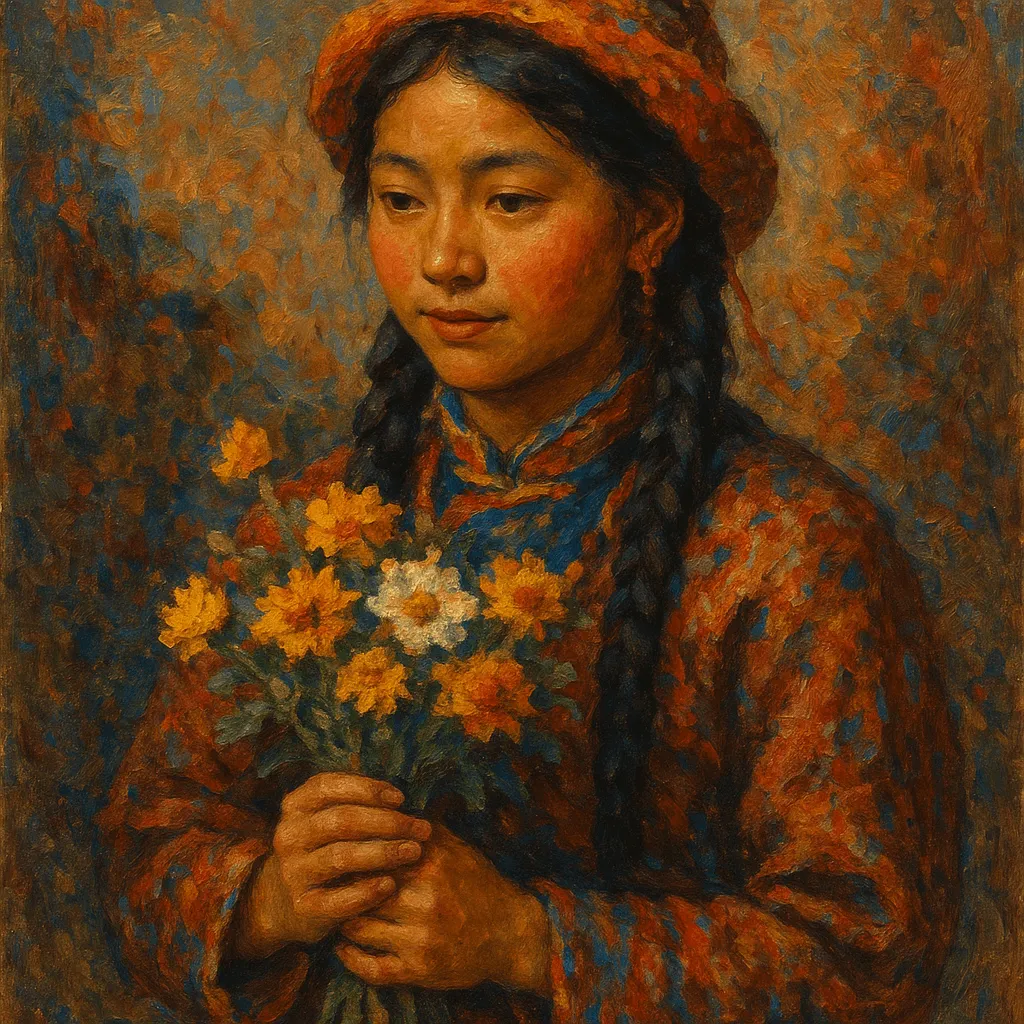
Portrait photos gain heavier texture and more dramatic museum-style lighting.


Daily photos can be pushed toward thicker brush texture and deeper gallery-style contrast.


Outdoor scenes can be pushed toward richer color depth and classical composition.
How to Use This Style
Keep the flow simple. The first result usually teaches you more than a long stacked prompt.
Use a photo with clear light direction
Portraits and landscapes with readable light sources adapt best to oil painting style.
Let the texture come from the preset
The preset already creates brushwork, so extra instructions should focus on mood, not technique.
Refine for drama or softness
After the first output, adjust toward darker contrast or warmer skin tones depending on the scene.
Best Photos for This Style
Why Choose Photo to Oil Painting
Visible Impasto Brushstrokes
AI generates thick, textured brushstrokes that mimic oil paint layered on canvas, giving every portrait depth and three-dimensional richness.
Old Master Color Depth
Rich, deep color rendering inspired by Rembrandt and Vermeer — warm undertones, dramatic chiaroscuro, and luminous skin tones.
Museum-Quality Composition
Intelligent framing and lighting adjustments give your photo the balanced composition and dramatic atmosphere of classical fine art.
Canvas-Ready Resolution
Output is optimized for large-format printing on canvas, making it perfect for living room wall art, office decor, and gallery displays.
About Photo to Oil Painting
The oil painting photo converter uses AI to transform your photos into classic oil painting masterpieces. Drawing inspiration from centuries of fine art tradition — from the dramatic lighting of Caravaggio to the intimate portraits of Vermeer — every conversion produces rich, textured artwork with visible brushstrokes, deep color saturation, and the timeless elegance of oil on canvas.
Oil painting style is the premier choice for portraits destined for printing and display. Whether you want a regal self-portrait for your office, a romantic couple painting for your bedroom, or a dramatic landscape for your living room, the AI adapts its technique to suit each subject. Portraits receive careful attention to skin tone warmth and facial detail, while landscapes benefit from sweeping brushwork and atmospheric depth.
MakePhoto's AI oil painting filter reconstructs your photo as genuine oil painting art — not a texture overlay. The generative model understands paint behavior, canvas grain, and color mixing, producing results that art lovers and interior designers appreciate equally. Print it on canvas for an affordable alternative to commissioned oil paintings.
Explore Related Styles


FAQ
What oil painting style does it produce?
A classic fine art oil painting style with visible brushstrokes, rich color depth, and realistic lighting.
Can I print it as wall art?
Yes! The high-resolution output is perfect for printing as canvas art, posters, or framed prints.
Does it work for landscapes?
Beautifully. Landscape photos in oil painting style look stunning with rich colors and dramatic lighting.
Ready to Transform Your Photo?
Start from this style page, get the first result fast, then refine only if you need to.